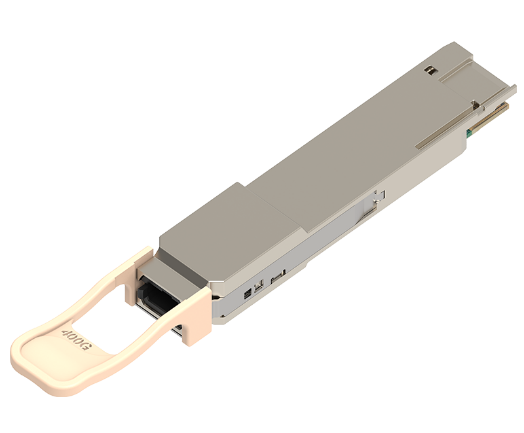



Brocade XBR-SFP8G1270-40 Compatible 10G CWDM SFP+ Transceiver Module (1270nm SMF 40km LC DDM)
Product Details
| Brocade Compatible | XBR-SFP8G1270-40 | Vendor Name | Walsun |
| Form Factor | SFP+ | Max Data Rate | 11.0957Gbps |
| Wavelength | 1270nm | Max Distance | 40km |
| Connector | Duplex LC | Transmitter Type | CWDM DFB |
| Cable Type | SMF | Receiver Type | PIN |
| TX Power | 0~+5.0dBm | Receiver Sensitivity | < -16.0dBm |
| Protocols | MSA Compliant | Operation Temperature | 0 to 70°C (32 to 158°F) |
Q: What is the difference between 10G SFP+ and C/DWDM SFP+ modules?
A: The main difference between 10G SFP+ and 10G Coarse or Dense Wavelength Division Multiplexing (C/DWDM) SFP+ modules lies in their functionality and application:
1. 10G SFP+ Modules: These modules are standard 10 Gigabit Ethernet transceivers used for transmitting data over short to medium distances. They operate on a single wavelength and are commonly used in traditional Ethernet networks for distances up to 300 meters over multimode fiber or up to 40 kilometers over single-mode fiber.
2. 10G C/DWDM SFP+ Modules: These modules utilize C/DWDM technology, allowing multiple wavelengths of light to be transmitted simultaneously over a single fiber. CWDM typically supports fewer channels over wider wavelength spacing, while DWDM offers more channels with narrower spacing. C/DWDM SFP+ modules are used for long-distance transmission and increasing network capacity by multiplexing multiple signals onto a single fiber pair.
In summary, both 10G SFP+ and 10G C/DWDM SFP+ modules transfer data at 10 Gigabit Ethernet rates, while the latter has the added capability of multiplexing several signals across a single fiber for longer-distance and higher-capacity applications.
Q: What is the difference between 10G SFP+ and BiDi SFP+ transceivers?
A: The key distinction is the number of optical fibers needed for bidirectional communication:
1. Traditional 10G SFP+ Transceivers:
Standard 10G SFP+ transceivers utilize two fibers, one for transmitting and one for receiving data.
They typically operate with two different wavelengths for bidirectional communication, requiring separate fibers for each direction.
2. BiDi SFP+ Transceivers:
BiDi (Bidirectional) SFP+ transceivers use WDM technology to enable bidirectional communication over a single fiber.
They transmit and receive data on the same fiber but at different wavelengths, simplifying cabling infrastructure and reducing fiber count.
While traditional 10G SFP+ transceivers require two fibers for bidirectional communication, BiDi SFP+ transceivers achieve the same functionality using only one fiber, making them advantageous in situations where fiber availability or infrastructure complexity is a concern.
Q: What is industrial transceiver and how to choose it?
A: “The Definitive Guide to Industrial Transceiver” provides readers with a comprehensive guide to industrial-grade optical modules, including their description, characteristics, advantages, application situations, and purchasing considerations.
Q: What benefits can Walsun 10G SFP+ modules offer?
A: Walsun 10G SFP+ modules offer several benefits:
1. Wide Variety: Walsun provides a wide variety of 10 Gigabit Ethernet connectivity options suitable for data centers, enterprise wiring closets, and service providers.
2. High Flexibility: These modules offer excellent flexibility and scalability options, particularly the 10G CWDM modules. With support for multiple wavelengths, organizations can easily adapt to changing network requirements.
3. Long-Distance Support: Walsun 10G SFP+ modules support various transmission distances. For instance, 10GBASE-T copper cable modules can cover network links of up to 100 meters using Cat6a/Cat7 cables, while SFP+ optical devices can support distances of up to 300 meters.
4. Cost-Effectiveness: Walsun emphasizes cost-effectiveness without compromising performance. SFP+ optical transceivers have the potential to significantly reduce costs while maintaining high performance standards.
These benefits make Walsun 10G SFP+ modules a reliable choice for various networking needs, providing versatility, performance, and cost efficiency.
Q: How about the compatibility of Walsun 10G SFP+ modules?
A: The compatibility of Walsun 10G SFP+ modules is generally high with a wide range of networking equipment. Walsun offers a comprehensive range of SFP+ modules designed to be compatible with various brands such as Cisco, Arista, HPE, Dell, Juniper, and more. These modules undergo rigorous testing to ensure interoperability and performance with different networking devices.
Furthermore, Walsun provides detailed information on compatibility, including lists of compatible devices for each SFP+ module. This allows customers to easily identify which modules are suitable for their specific networking environment.
Q: Can I use a 10G SFP+ module in a 1G SFP port?
A: You can use a 10G SFP+ module in a 1G SFP port, but it will operate at 1G speed. The 10G SFP+ modules are designed for faster speeds, they are usually backward compatible with 1G SFP ports. The 10G SFP+ module needs to be downgraded to 1G speed, which is typically not encouraged for economic reasons. It is critical to check compatibility and ensure adequate functionality for the individual networking devices and modules being used.
While using a 10G SFP+ module in a 1G SFP port is technically feasible, it’s more common and practical to use 1G SFP modules for compatibility and optimal performance.
Q: When we expand or upgrade our data center networks, what would be the most efficient way to make the SFP+ to RJ45 connection?
A: When expanding or updating data center networks, taking into account the four characteristics of data rate, twisted-pair cable types, latency, and power consumption, the most efficient option to build the SFP+ to RJ45 connection would be to use Walsun’s 10G copper SFP+ solution. This solution allows you to effortlessly convert your 10G SFP+ switch ports to RJ45 ports, ensuring seamless connection and compatibility during data center network expansion or upgrading activities.
Q: How can I view the DDM details?
A: You can try to view the Digital Diagnostic Monitoring (DDM) details via SNMP, follow these steps:
1. Enable SNMP: Ensure that Simple Network Management Protocol (SNMP) is enabled on your network device.
2. Install SNMP Management Software: Install SNMP management software on your computer. You can use popular SNMP monitoring tools like Nagios, PRTG Network Monitor, or SolarWinds.
3. Configure SNMP: Configure SNMP settings on your network device and the SNMP management software. Assign the appropriate community string and set the SNMP version according to your requirements.
4. Access DDM Information: Once SNMP is configured, you can access the DDM information by querying the relevant Object Identifier (OID). Use SNMP commands or the SNMP management software to retrieve data such as optical power, temperature, voltage, and other parameters provided by the DDM function.
5. Monitor and Analyze: Monitor and analyze the DDM details obtained from the SFP+ modules to ensure optimal performance and troubleshoot any potential issues.
Related Article:
Brocade 10G-SFPP-BXD-40K Compatible 10G BX SFP+ BIDI TX1330nm-RX1270nm 40km LC SMF DDM Transceiver Module
Ciena XCVR-S10V31 Compatible 10G SFP+ LR 1310nm 10km LC SMF DDM Transceiver Module
Ciena CWDM-SFP10G-1470 Compatible 10G CWDM SFP+ 1470nm 80km LC SMF DDM Transceiver Module
Arista Networks SFP-10G-ER40 Compatible 10G SFP+ ER 1310nm 40km LC SMF DDM Transceiver Module
Brocade 10G-SFPP-SR Compatible 10G SFP+ SR 850nm 300m LC MMF DDM Transceiver Module